If you take blogging seriously, then I am sure you are managing multiple social media profiles, together with Google AdSense or AdWords accounts, WordPress blogs, a mailing list with GetResponse or another service provider, your PayPal account, Google Webmasters and Analytics profiles, or any other tool you are using.
You are probably spending a lot of hours during your day/week monitoring all these accounts…but if there was a way to save all this time?
The solution is Cyfe.
Cyfe is a multifunctional dashboard, that you can use to monitor several social media accounts, traffic analysis and different other metrics from analytics or rankings checks, under the same place.
Table of Contents
How Does it Work?
You just need to register at Cyfe and confirm your email (you can sign up for a free account and eventually decide to upgrade later).
Once you’ve done this, you can login and your dashboard will appear.
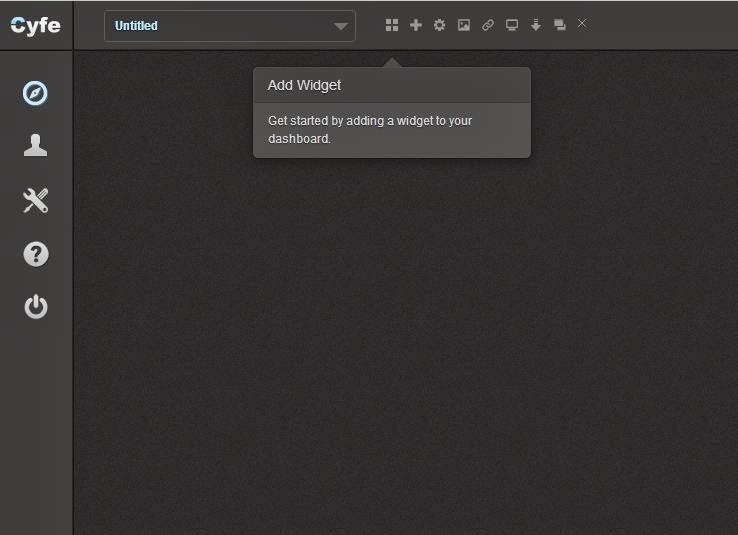
Now you want to assign a name to your dashboard and start adding some metrics and accounts to monitor.
Basically, you can choose among several widgets, under these categories:
- advertising
- blogging
- custom
- monitoring
- other
- sales & finance
- SEO
- social media
- support
- web analytics
See a screenshot:
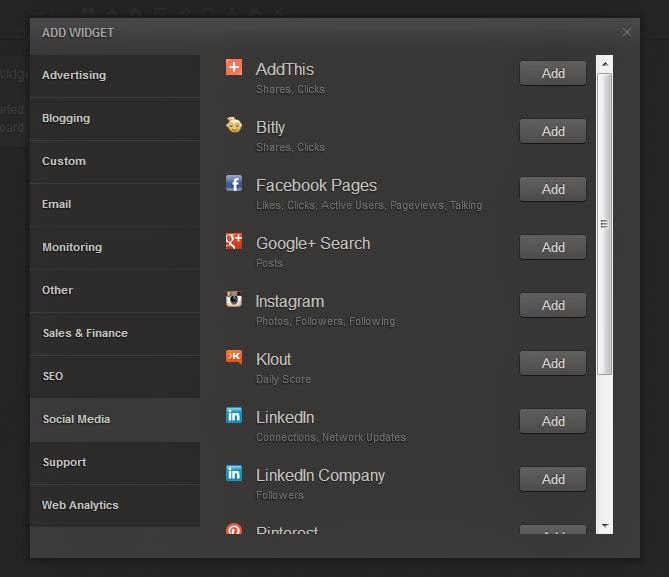
For each widget that you add, you need to make a proper configuration.
This is really easy, don’t worry.
For example, if you add a social media widget (let’s say Twitter), with a single click you can give authorization to Cyfe for accessing your profile.
Now you can choose what you want to display on this widget, like tweets, followers, listed, mentions, influencers or more, like a Twitter search, hashtags, etc.
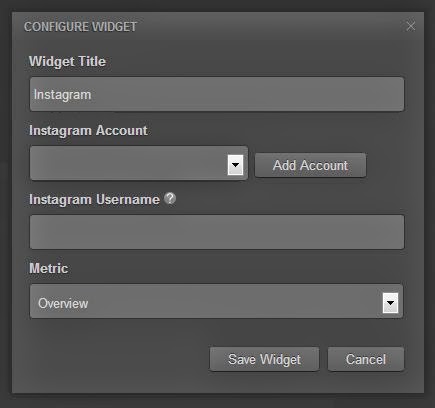
Or you can decide to select another social media, as Instagram.
The settings will appear and you want to add your account and username.
See:
Do the same process for all the widgets you want to include in your dashboard.
How Many Services Can You Integrate With Cyfe?
Cyfe works with many services and providers.
I mention in this list just some of them:
- WordPress
- Google Spreadsheets
- Campaign Monitor
- GMail
- GetResponse
- Google Adsense
- Google Doubleclick for Publishers
- Google Adwords
- Marchex
- Google Alerts
- Google Analytics
- Google Trends
- Pingdom
- AWS CloudWatch
- Google Calendar
- Paypal
- Basecamp Classic
- Google Webmaster Tools
- SEOMoz
- SERPs
- Compete
- BitLy
- Facebook Pages
- Google+ Search
- Klout
- Youtube
- Mixpanel
- Quantcast
But there are many others!
Some Premium Features at Cyfe
Once you reach a certain number of widgets in your dashboard with your free account, you will be asked to upgrade, in order to add more or to access to several premium customizations.

Some of these features are the following.
Reports
You can ask Cyfe to export to PDF reports that include all your widgets.
You may also decide to add your logo, giving a juicy branding.
Multiple Users
That’s a nice feature, if you work with other people.
You may give access to your teammates, so to keep the work flowing.
Cyfe Pricing
The free version itself gives you up to 5 dashboards/widgets.
Upgrading to the paid version will cost you $19 each month (or $14 per month if you buy the annual plan).
Conclusion
Is it worth it?
As mentioned before, you can sign up for a free account, take a tour, add some widgets and eventually decide to upgrade to premium in future.
Everything is easy to set up, via the widgets.
It’s useful to get so many metrics under the same dashboard, without losing time checking every single provider website.
You know, time is money!
Well then, give it a try and tell me what you think!
I appreciate you sharing your views in the comments below, thanks!
Wait! Before You Go, Read:
 Lucky Orange – The Most Complete Heatmap, Visitor Recording, and Chat Tool I Have Ever Used
 10 Free Online Tools to Monitor Your Social Media Influence
 Tips for Using Google Analytics Effectively
 Social Media Monitoring: Strategies, Tools, and Best Practices
 How to Analyze Your Site Traffic and Improve Your Conversions With Ptengine
 SMhack: The All in One Social Media Managing Tool
 4 Awesome Free Tools to Increase Your Twitter Exposure + 7 Useful Tips
 Employee Monitoring on a Budget: Affordable Tools for Small Business Owners
 20 Important Things To Do After Installing WordPress
 000WebHost: Free Web Hosting with PHP, MySQL, Cpanel & No Ads!
 How to Track Backlinks and Improve Your SEO with Linkody
 Tiny Ranker: Keep Track Of Your Site Rankings And Onpage Seo Efforts
 SE Ranking: The All-Inclusive Cloud-Based SEO Software You Need
 How to Customize The WooCommerce Checkout Page with Elementor
 Google Drive ‘Security Update’ Bringing Changes in Link Share Settings
 How to Revive Your Old Posts with an Awesome Plugin + Giveaway of Pro Version
 Super List of Tools for Bloggers – More Than 70 Resources
 How I Increased My Adsense CTR by 400% in 3 Weeks with Adngin
 Surefire Ways To Increase Page Views Using These 7 WP Plugins
 5 Things To Consider When Choosing A Blogging Platform
 5 Free But Fantastic Google Tools Every Serious Content Marketer Should Never Ignore
 9 Must Have Plugins for Your Blog
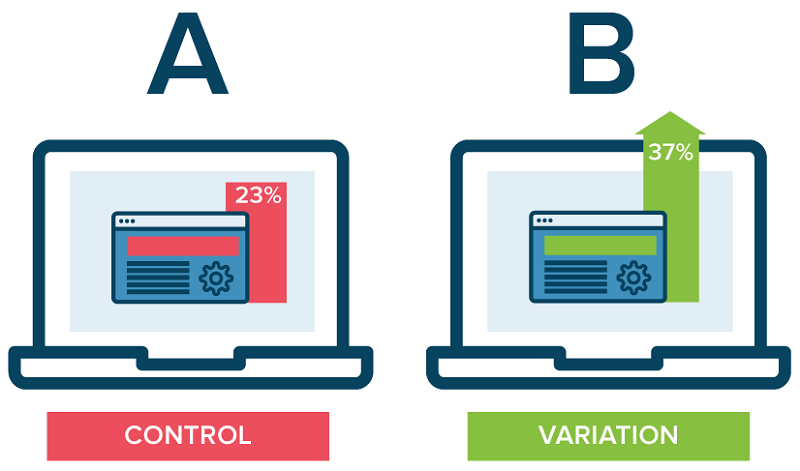 Maximize Your Profit with the Help of These Conversion Rate Optimisation Tools
 How to Secure Your WordPress Site Using “Wordfence Security” Plugin (Free)
 XOVI: All-In-One Marketing Suite (Alternative to SEMRush)
I love Cyfe so far. I’ve been using it for a couple clients to test out real time reporting.
It’s been decent in terms of speed to that’s good. If it continues to prove to be great with clients, then it’ll definitely be a staple tool for me.
Thanks for the review Erik!
Hi Erick,
This sounds interesting enough to try, as having all your social media in one place is pretty cool. I guess I will give it a try and will add it to my list.
Thanks for letting us know about this tool. First time I hear of it 🙂
Cyfe sounds to be a useful resource for managing social media profiles but there are others I have been already using so far. I will certainly give Cyfe a try.