User engagement is one of those terms that are very fashionable in the world of Inbound Marketing and you have surely heard of it many times. But do you know its true meaning?
Engagement is the ability of a product (a brand, a blog, an application) to create solid and lasting relationships with its users by establishing a link between the brand and the consumer. The more we know about the user, the more we can implement better tactics to ensure that this relationship is solid and lasting.
Engagement can be measured in different ways, with repeat purchases, repeated visits to a site, or in web statistics through elements such as bounce rate and residence time, number of pages viewed per user, time remaining on the web page or comments on a post. In short, it is necessary to measure and increase the user’s love for what you do.
But how can you improve user engagement without coding on your website?
In this article, I’ll talk about Smartarget, an interesting tool you can use to better connect with your users and increase sales.
Table of Contents
Smartarget Popular Features
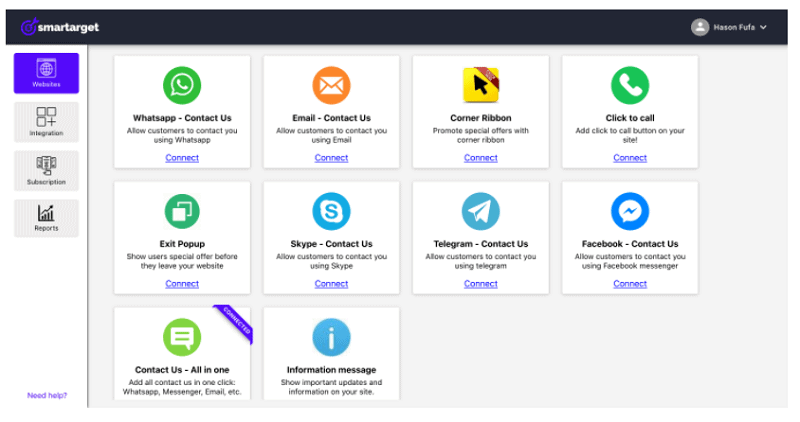
Smartarget is a fantastic tool that will help you increase engagement with your users by using different useful apps.
Registration is free (without credit card), and after you will confirm your email, you can start using it.
With the FREE account, you will get:
- Unlimited websites
- Unlimited Apps per website
- Performance reports
- Monthly 50 clicks on apps
One of the most popular features of Smartarget is the “Whatsapp – Contact US” app.
See how it will look like on my site:
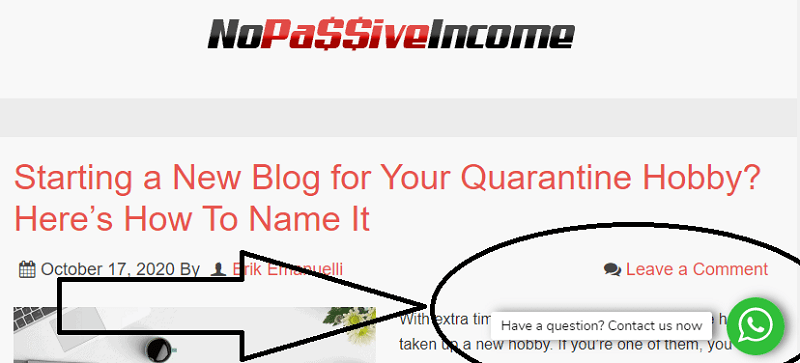
Users that will click on the message will be redirected to the WhatsApp API, with your phone number to get in touch with you.
Another interesting feature is the “Email – Contact US” app.
See how it will look like on my site:
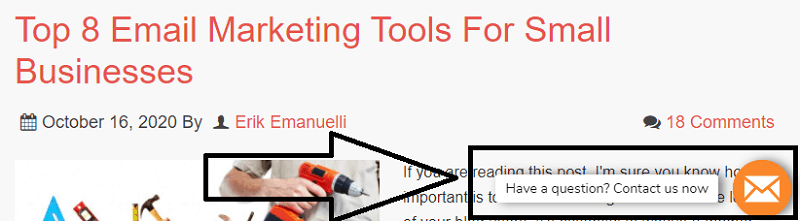
When clicking on the message, users will be able to send a direct email to you.
The icon can be placed on any corner of your site, top, bottom, right or left.
But there are many more formats and interesting apps you can try, such as:
- Corner Ribbon (you can customize a message to appear in the corner of your site. For example, to get more subscribers)
- Skype – Contact US (users will use Skype to get in touch with you by clicking on the message)
- Telegram – Contact US (users will use Telegram to get in touch with you by clicking on the message)
- Facebook – Contact US (users will use Messanger to get in touch with you by clicking on the message)
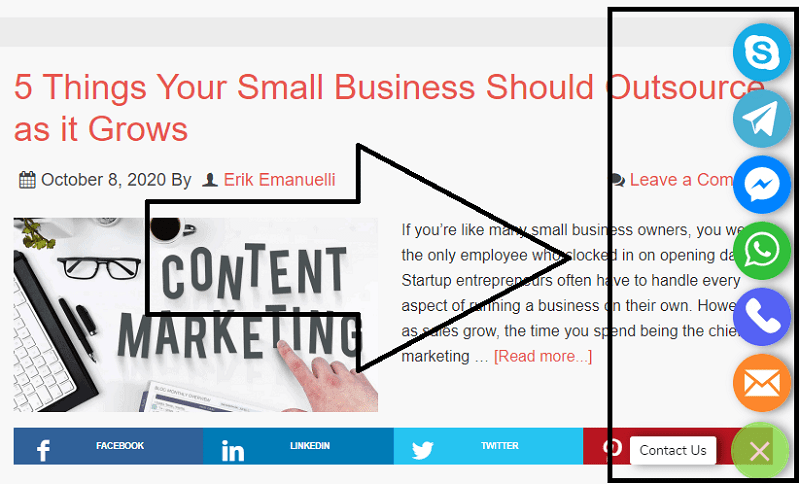
- Contact Us – All in One. Clicking on the message, will open a menu where users can choose their favorite way to contact you. It looks really nice, see:
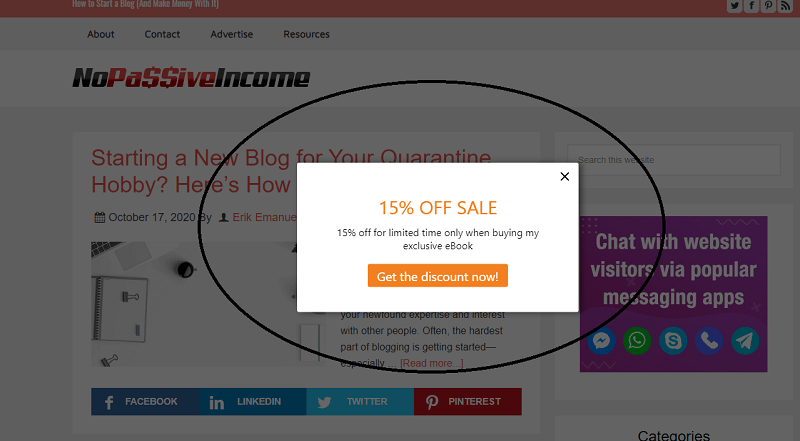
A feature I like is the “Exit Popup“.
In your Smartarget dashboard, you can personalize the message to be shown to your users when they leave your site.
For example, if you have a blog and you want to sell your eBook, or course, or training program, you can use this feature to invite users for a special discount:
You can customize the action type, which means the message will be open in a new tab or the same tab.
The delay of the message to appear can be customized. So, for example, to get your message displayed after 3 seconds, just type “3” in the “Delay before Flash Card appears” field.
You can set the message to be dismissed after of period of time, such as:
- X Days
- Every page refresh
- Never
- Dismiss period X days
- Works if you picked X days
Boost eCommerce Sales and Increase User Engagement Using Smartarget
Smartarget works with all platforms. No matter what CMS you are using, Smartarget apps work across all platforms:
- WordPress (the plugin can be found here)
- Shopify
- Wix
- ecwid
- Shift4Shop
If you have an eCommerce, there are some particular features you can use to boost your sales and increase user engagement.
For example, with the Information message, you can show important updates and information on your site:
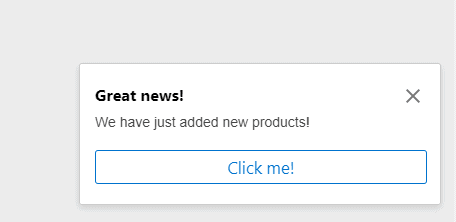
Again, the message is entirely customizable and can be placed anywhere on your website.
A Smartarget app I found useful for eCommerce owners is “Social Sales“. By using it, you can improve user’s trust by making users think that there are currently ongoing sales on the website.
You can change the message, the name to be displayed and the product, with the target link:

To boost engagement via social media, you can use both these features:
- Instagram Follow Us (it will display a message to invite users to follow you on Instagram)
- Follow Us (a menu tab will appear with icons that can be clicked to invite users to follow you on social media)
Smartarget Prices
As mentioned earlier, with the FREE account, you will get:
- Unlimited websites
- Unlimited Apps per website
- Performance reports
- Monthly 50 clicks on apps
Once you reach 50 clicks per month, the apps will be visible on the homepage only until the next month.
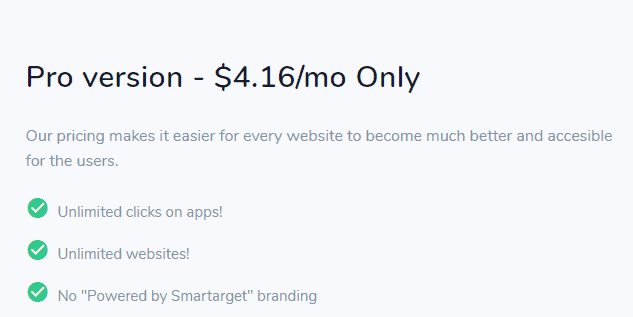
After that, you can upgrade to the premium version, with Unlimited clicks on apps, at$4.16/mo:
Final Words
I find Smartarget such a great tool to use to boost user engagement and increase sales on your website. And without using coding.
The integration is really simple and the reports function will display interesting data such as how many clicks you got, clicks per device type, the average time to click, clicks per app and clicks per URL.
I plan to create an eCommerce site in the next months and Smartarget will be on my top tools to use to increase sales and improve the engagement with my visitors.
Now, it’s over to you.
Are you going to test Smartarget?
What are your thoughts?
Please share your comments in the form below, thanks!
Wait! Before You Go, Read:
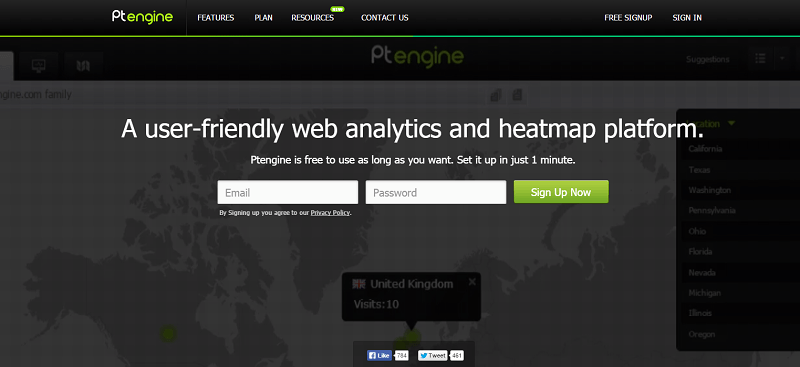 How to Analyze Your Site Traffic and Improve Your Conversions With Ptengine
 How to Get More Leads and Convert Them into Sales With SharpSpring Free CRM
 SalesMate: The Smartest Way to Make More Sales
 An Effective Strategy to Increase the Sales of Your eCommerce
 Why Men’s Engagement Rings Are The Next Big E-Commerce Gold Mine
 How to Use an Online MP4 Converter to Boost Your Social Media Engagement
 Digital Micro-Economies: Turning Engagement Into Earnings
 Know How Your Website Structure Can Impact Your Business Sales?
 How to Increase Conversion Rate of Your Sales Funnel
 How to Increase Engagement on Facebook: 15 Proven Strategies
 Want More Loyal Fans? Try These Creative Strategies to Boost Participation and Engagement!
 Snovio Email Finder: Useful App for Marketers and Sales People
 How to Track Backlinks and Improve Your SEO with Linkody
 Push.House Review: An Innovative Push Notification Ad Platform
 Best Sales Chatbot: 5 Choices + Tips and Features
 What Is Artificial Intelligence And How Can It Improve Email Marketing?
 How Can I Use Klaviyo’s Email Templates to Improve Customer Segmentation
 Lesser-Known SEO Tactics to Improve Your Traffic
 000WebHost: Free Web Hosting with PHP, MySQL, Cpanel & No Ads!
 6 B2B Lead Databases You Can Use to Accelerate Sales
 Closing More Deals: How Sales Automation Transforms the Game
 How to Boost Your Business and Productivity Using Gmail With Hiver
 70 Promotional Instagram Captions to Boost Sales in 2025
 115 TikTok Caption Ideas to Boost Engagement (+ Followers)
 What Are the Top Features of Claims Tracking Software That Improve Claims Handling Efficiency?


One response to “Smartarget: Improve User Engagement And Sales Without Coding”
Hello Erik,
We all are strive to getting sales and conversions on our blog. I have tried many web tools to increase conversions. But haven’t tried Smartarget as i haven’t heard it before. After reading this review, I will definitely try it out. Thanks for sharing it with us.
Regards,
Vishwajeet Kumar