Underestimating the importance of images on a website is a serious mistake, both in the aspect of optimization for search engines, and, most of all, for the user experience (many times a good image is worth a thousand words).
Optimizing the images is one of the most important aspects of on-site SEO.
Let’s see what you can do to improve your blog and what tools to use (I’ll share with you detailed information about a plugin called “ShortPixel”, that can help you speed up your website and gain rankings on search engines).
Table of Contents
The Science of Emotion in Marketing
The first thing to consider when choosing the images for an article is the emotion you want to induce in your readers.
Try to think about what happens as soon as you open a web page. I think that it’s the same pattern for everyone: first the images, then the text.
Pictures, in fact, immediately capture the attention and arouse the emotions of your readers.
Check Robert Plutchik’s famous “wheel of emotions” and his well-known emotional layers (The Science of Emotion in Marketing – HuffingtonPost):

Some Aspects to Consider When Optimizing Your Images
The image optimization on a website is critical for a good ranking on search engines.
Let’s see some of the best practices for a good optimization.
ALT Attribute
ALT stands for “alternate text”. It indicates the HTML element to associate with the non-text parts of the content (mainly images) and offer a description, in case they could not be displayed.
The fact of being able to optimally utilize the ALT attribute of images has many advantages:
- the best known is the consolidation of the textual content of the article;
- do not underestimate the fact of being found on search engines: ALT attribute is, in fact, one of the elements used by Google to classify images;
- the lesser known benefit, but perhaps the most important is the accessibility of web pages. For example, the ALT attribute is the interpretation of the images by the voice readers for the blind internet users.
Whenever is possible, try to include your keywords, but be sure to describe the images as best as possible.
Filename
The image file names should be used to provide a further description (do not overdo it with the length); the search engines, in fact, also detect this data.
Let’s say that the rule is the same as the “slug” of web pages: words separated by a hyphen (“-“).
It’s better not to use spaces on the images filename because a space in the URL is replaced by “% 20” string, making the URL less mnemonic.
If you can, try to add your keywords.
An example: adding images named in this way
IMG_4987.JPG (i.e. the typical names that the camera assigns to the pictures made)
makes little sense in SEO terms.
It’s much better something like this:
seo-image-optimization.jpg
Size of The File
In which way the size of images may affect the rankings?
The answer is simple: the greater the file size, the more it will increase the loading time of web pages (which is one of the ranking factors considered by Google for SERPs).
One of the most common errors is to use very large and not optimized images and then, once uploaded to the website, edit the file under “display settings”, with a custom size, changing “height” and “width”.
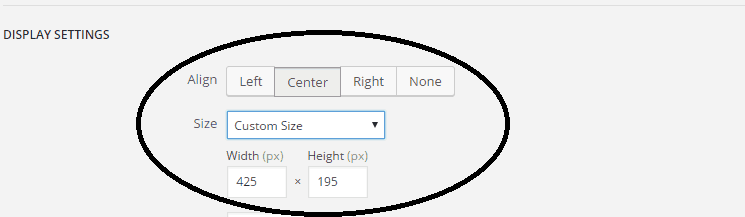
The result is an increase of the loading time of your site.
So, How Can You Reduce The Size of Your Site Images?
Recently, I’ve stumbled upon a new tool, called ShortPixel.com.
It basically makes your website load faster by reducing the size of your images and helping achieve better rankings in search engines (read more about this subject on Google blog).
These are the formats available: PNG, JPG, GIF, plus PDF files.
Let’s see how this plugin works.
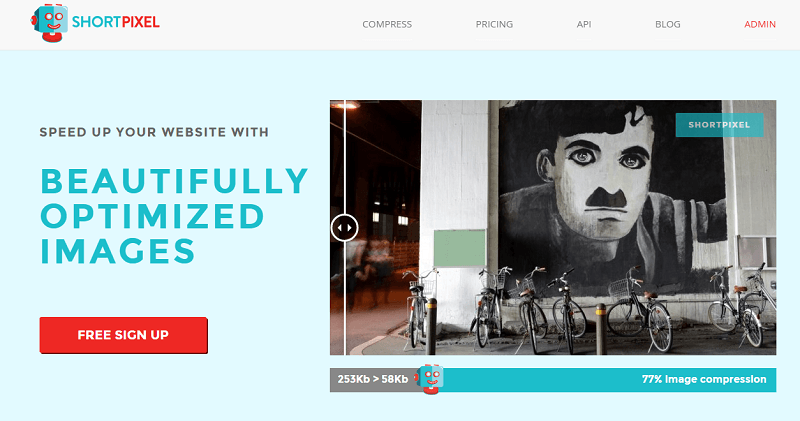
ShortPixel Plugin
First, download the plugin by visiting the WordPress directory or by searching it in your WP dashboard.
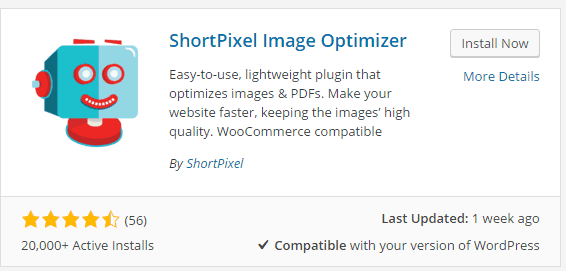
The installation is like any other WP plugins.
Now, you need to add the API license. Just complete the free and quick registration to ShortPixel site and you’ll get one.
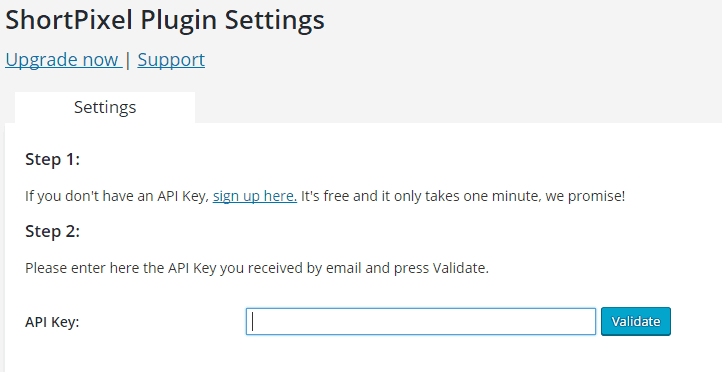
Once you enter your API license key, the settings options will appear.
These are the plugin features:
- supports PNG, JPG, GIF (still and animated) images and PDF documents
- thumbnails and featured images are also optimized
- CMYK to RGB conversion
- free 100 image credits/month. Images that are optimized less that 5% are bonus
- no file size limit
- originals are saved in a backup folder and can be manually restored
- ‘Bulk’ optimize past gallery with one click
- 40 days optimization report with all image details and overall statistics
- works great for eCommerce websites using WooCommerce plugin
- multisite support for a single API key
- compatible with WP Engine hosted websites
- 24h support
I’ve chosen the standard configuration:
- compression type: lossy
- apply compression to thumbnails
- save images and keep a backup in a separate folder
- adjust images for computer and mobile screen display
- remove EXIF tag of the images
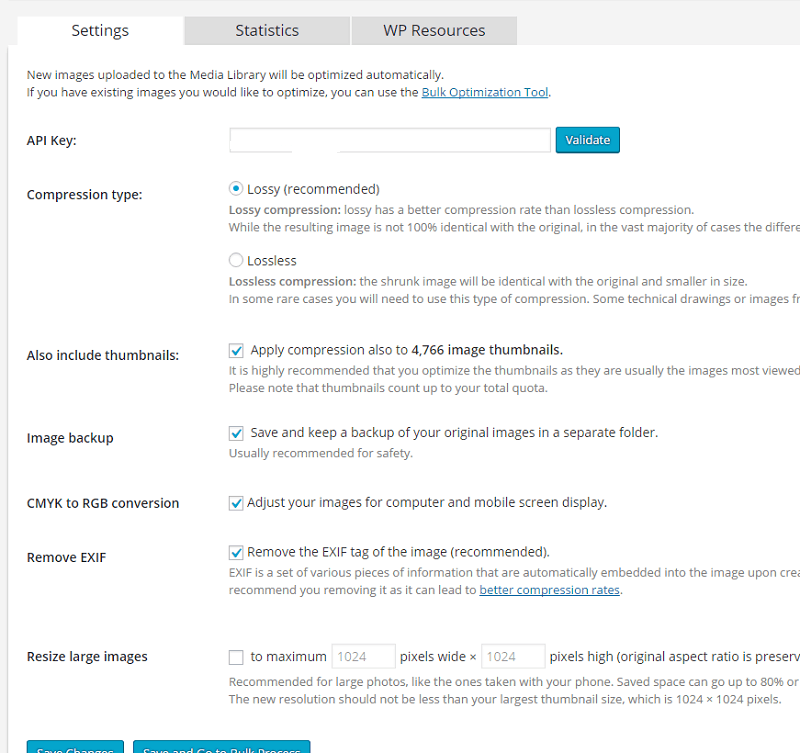
Once you are done with settings, click “save and go to bulk image optimization“:

The bulk image optimization option is great, as it allows you to compress and resize all your blog pictures at once.
The process may take some time, depending on the number of images in your library. In the meantime, you can continue using your WP admin as usual, in a different browser window or tab (however, if you close this window, the bulk processing will pause until you open the media gallery or the ShortPixel bulk page again).
See, as example, the following screenshot:
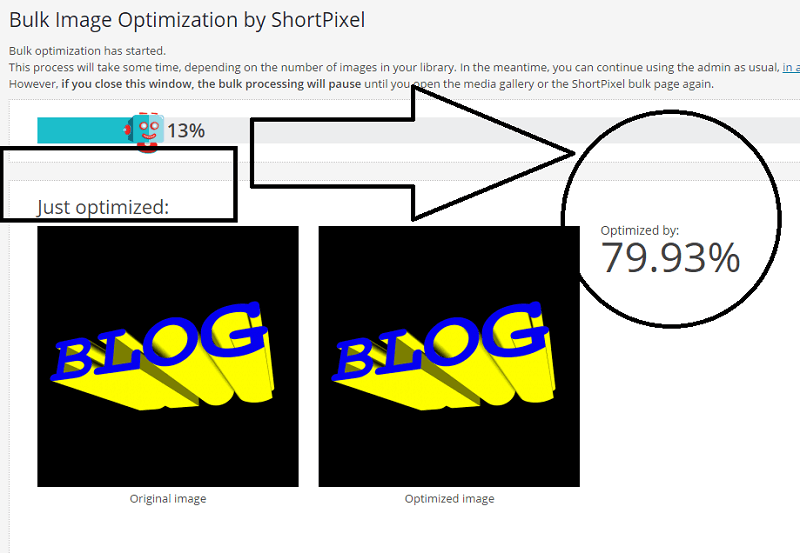
ShortPixel optimized that image on my blog by 79,93%!
Once the whole automatic process is completed, you can visit the statistics tab to check the results:
See a screenshot of my results:
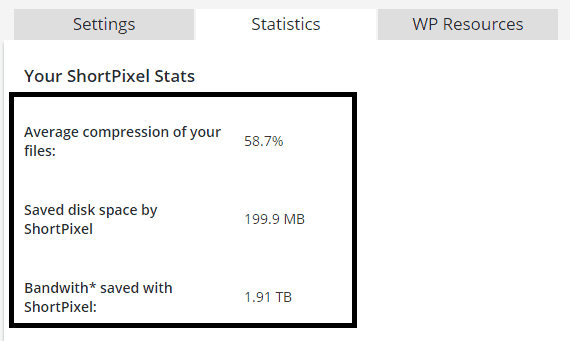
ShortPixel did an awesome job, with:
- average compression of my blog files of 58,7%
- 200 MB of saved disk space
- 1,90 TB of saved bandwidth
ShortPixel is Awesome! Proof of Results
I made a few speed tests before starting the optimization process with ShortPixel.
I used the following tools:
- http://tools.pingdom.com/
- https://gtmetrix.com
- https://developers.google.com/speed/pagespeed/insights/
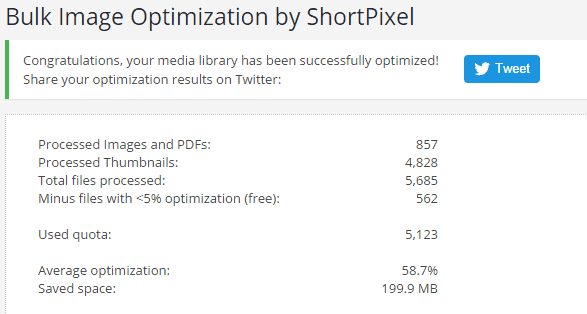
I also made the same test, after the ShortPixel plugin has completed the bulk image optimization process:
With the Pingdom test, my homepage perf. grade went from 84/100:

to 88/100:

Running a test with GTmetrix, before the optimization process, I got a score of 85:

After the work done by ShortPixel, it has improved to 88:
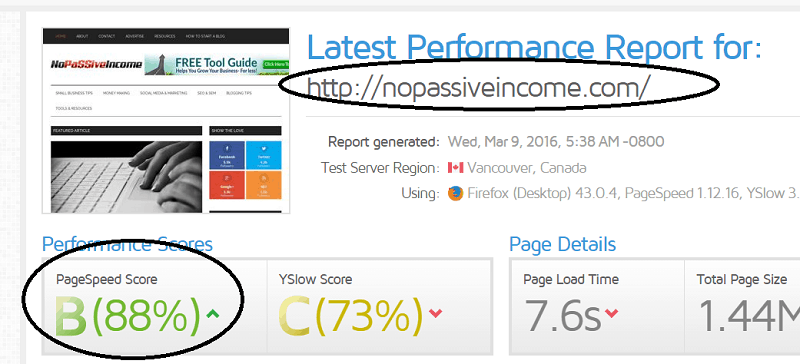
I’m not a “techie” and I understand I have more tasks to work on in order to improve my blog speed score.
But with just a few minutes of work I was able to improve it from 84 to 88, thanks to ShortPixel!
Pretty impressive, right?
ShortPixel Plans and Pricing
Both free and paid plans grant the same features and offer the same optimization quality.
The difference is about the available image quota.
With the free plan, you get 100 images/month and you can purchase, if you need more, additional image quota with a little fee ($4,99 for 5,000 image credits).
The most popular choice is, however, the one-time 10k, as following: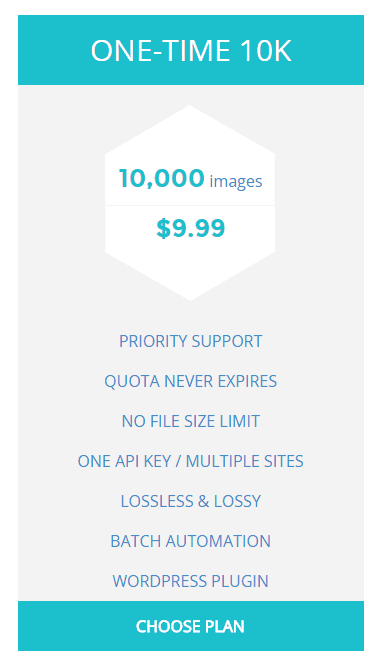
With as little as $9,99 (one-time payment), you get a total of 10,000 credits to use for compressing your site images.
You pay once and use the credits till they are exhausted!
Final Words
I definitely suggest you to use ShortPixel plugin to optimize your blog images and speed up the loading time of your pages.
I had extremely positive results and it was so easy!
If you are not convinced yet, take a look at this testimonial of another happy ShortPixel user:

There are lots of reviews you can check also at WordPress plugin directory (click here to read them).
If you want to run a quick test, check the free demo.
What do you think?
Have you ever heard of ShortPixel?
What methods are you using to compress your blog images?
Please share your views in the comments below, thanks!
Wait! Before You Go, Read:
 TextOptimizer: Increase Your Rankings and Boost Your SEO
 Vital Types Of Marketing You Need To Gain Success
 What SEO Services Can Law Firms Expect When Working With Rankings.io?
 10 Blog Habits to Help You Being Penalized by Google
 8 Smart Tips To Get Your Website Off The Ground
 Tiny Ranker: Keep Track Of Your Site Rankings And Onpage Seo Efforts
 5 Tips to Have Your Website Translated and Localized
 Ethical Search Engine Optimization Tips
 7 Ways To Use Semantic SEO For Higher Rankings
 How to Optimize Your Website Based on Google’s Page Experience Update
 How to Use Finteza to Boost Your Website Conversions Analyzing Quality Traffic
 A Guide to Keyword Targeting and On-Page SEO
 9 Effective SEO Copywriting Secrets That Will Drive More Traffic
 On-Page SEO: What You Need to Know to Optimize Your Web Pages
 Micro-SEO Strategies: 6 Foolproof Ways to Boost Rankings
 Does Your Website Design Suck? 5 Reasons to Change It!
 Avoid 4 WordPress Mistakes Which Make Your Website Unsafe to Hackers
 How To Take a Backup of a Website: Best Free WordPress Backup Plugins
 How to Secure Your WordPress Site Using “Wordfence Security” Plugin (Free)
 4 Tips To Attract New Customers To Your Website
 Know How Your Website Structure Can Impact Your Business Sales?
 5 Tips for Increasing Pinterest Traffic to Your Website
 5 Best Blogger Outreach Tools for Building Relationships
 20 Important Things To Do After Installing WordPress
 Best Elementor Addons to Decorate Your WordPress Website in 2023
Hey Erik,
I liked this post. You shared useful information and that plugin seems promising.
Hi Erik!
Wow! This is a cool plugin! I’m currently using WPSmushIt. Have you used that? I’m curious how it compares to ShortPixel? I might have to upload it and give it a shot. Thanks for sharing this with us!
Social Pixel really helps in image optimization. I think you should also include a piece of content about smush.it. Its also an excellent plugin for image OPtimization.
I have a fresh piece of content about speeding up a wordpress website. Around 1000+ Words. Please tell me if you would like to share on your blog.
Great post Erik , I installed the plugin a few moments ago and its already optimized my pictures will try and upgrade in a few days to see the full power .