Are you using Gmail for managing your business contacts and connections?
Do you need an app to supercharge your Gmail?
In this post I’m going to talk about Hiver.com, an application that offers everything you need to boost productivity and improve your business with Gmail.
Table of Contents
How Hiver Works
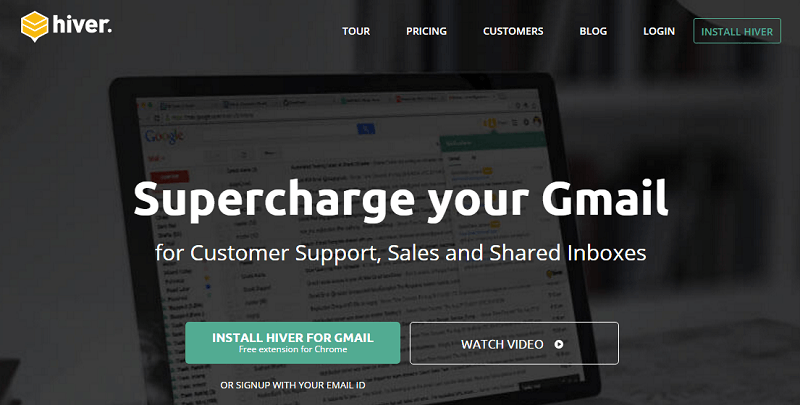
Hiver (previously known as GrexIt) is a simple but powerful tool that, in association with Gmail, can help with your business sales, customer support, project and lead management or operations.
It’s used by many companies around the world and is one of the highest rated apps for Gmail and Google Apps (here‘s the download link for the free extension for Chrome).
The main feature is “Shared Labels“, which you can use to share and synchronize email conversation with work colleagues.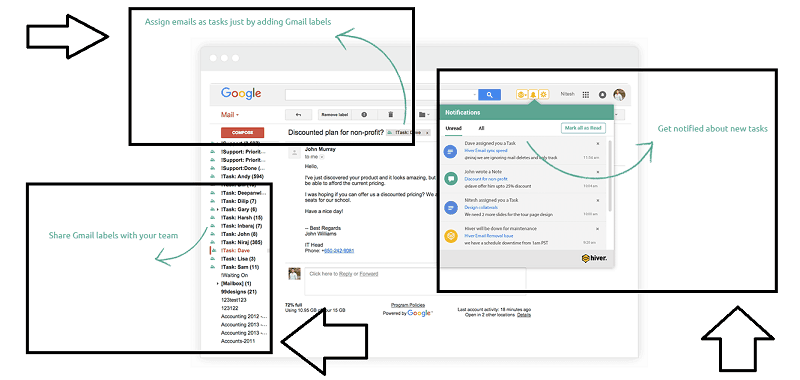
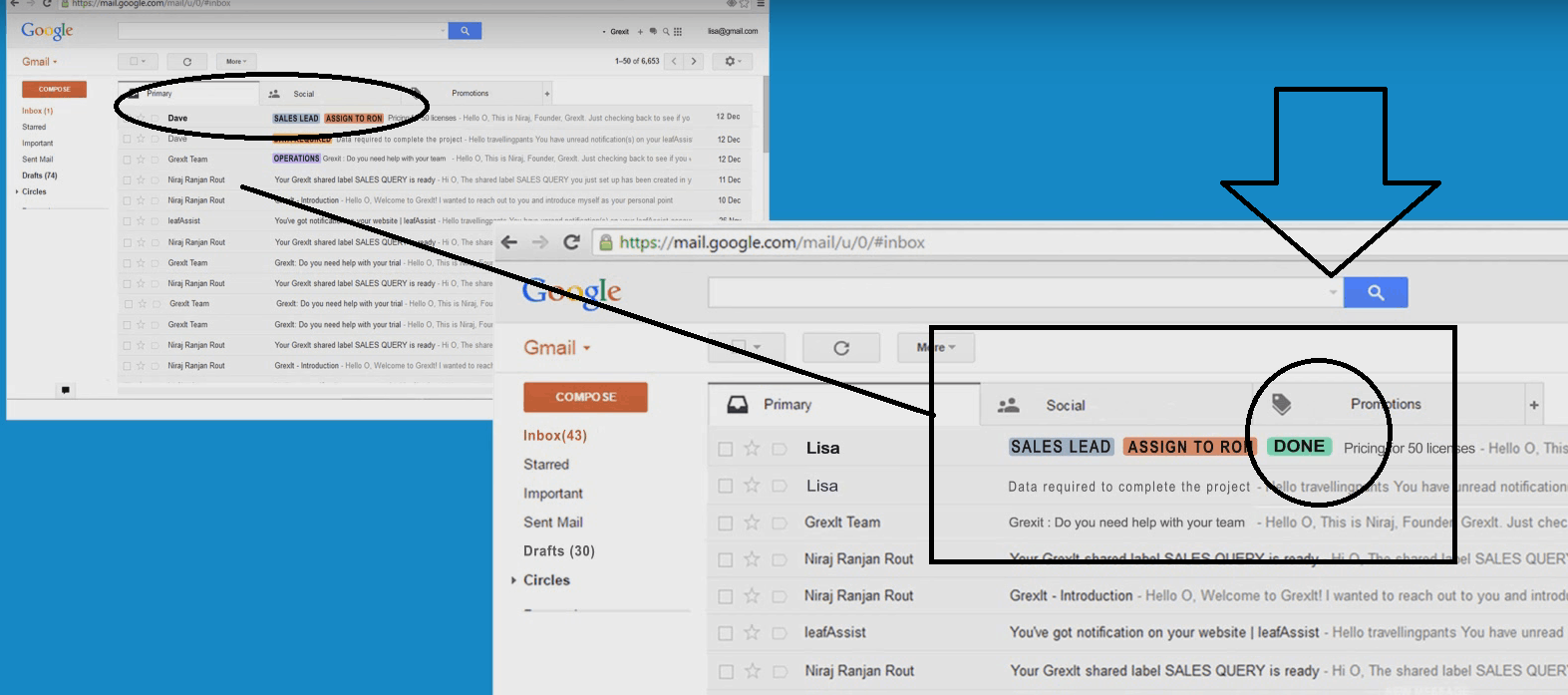
Basically users can share their Gmail labels to set tasks, track their status and deliver information to co-workers.
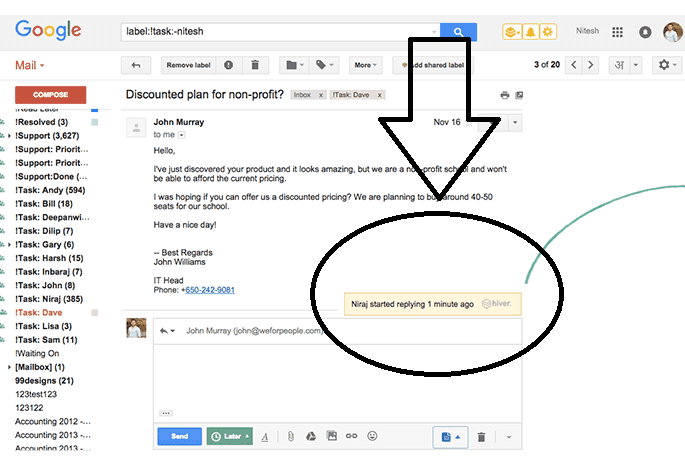
Here’s an example of how it works (click on the following screenshot to enlarge):
But there are more functionalities, such as:
- shared contacts
- send later
- email reminders
- email notes
- email templates
- collision detection
Let’s see them in details.
Shared Contacts
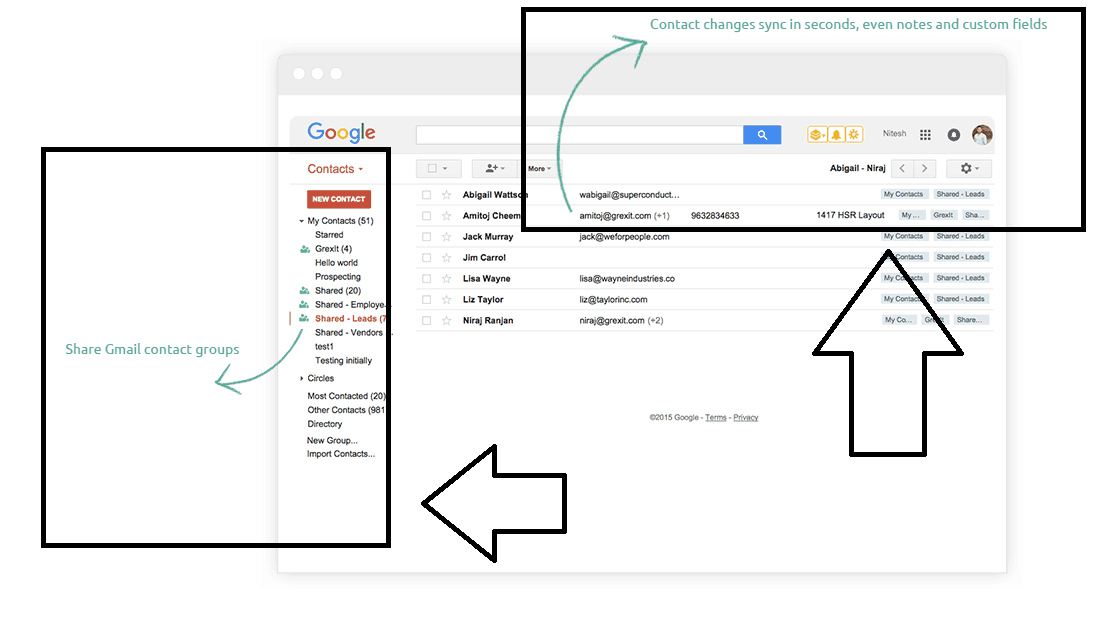
This is an useful feature when you need to share your Google contact groups with other Gmail or Google App users.
Things like contact details, notes and custom fields can be shared and synced in seconds.
Send Later
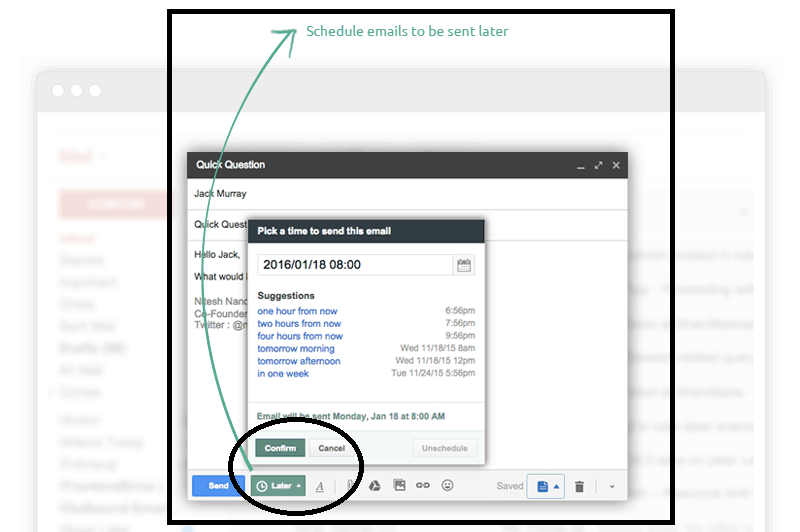
You can use this feature to schedule emails and send them at a specific time.
With Hiver installed in your Gmail and when writing a new email, you will notice a green new button marked as “Later” right next to the “Send” one:
Email Reminders
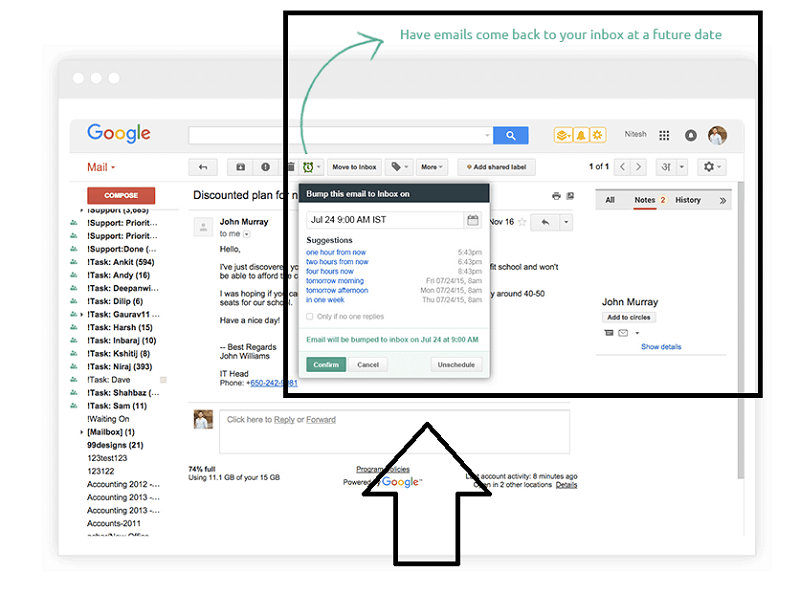
That is an effective way to remind yourself about upcoming tasks or the ones you haven’t completed yet.
This Hiver feature lets you bump emails back to your inbox at any time in the future.
Email Notes
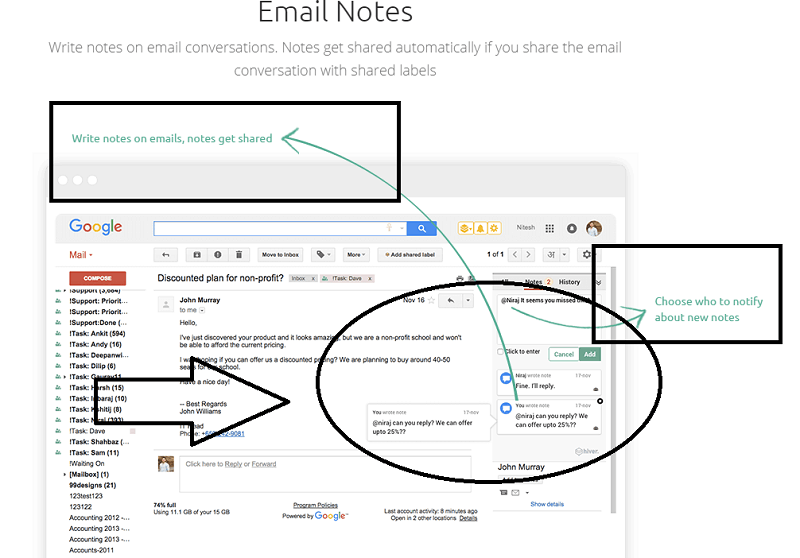
Another interesting feature useful to improve a business procedure or to give customers a better service, for example.
With this option, you can write notes on each email conversation, which are automatically shared if you’re using the “shared labels” feature:
Email Templates
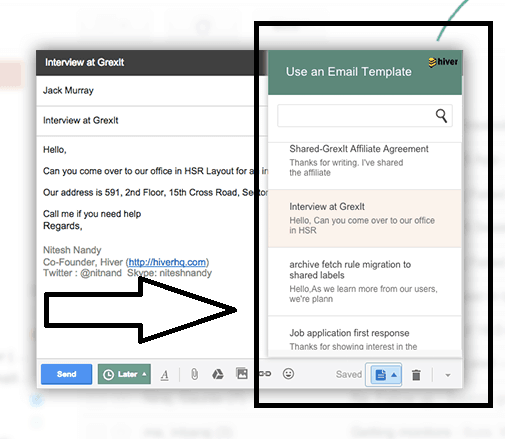
Does it happen to write the same email with different contacts?
With this feature, you will never write again repetitive emails.
Just create the first template and use it whenever you need it:
Collision Detection
If inside your team someone has already replied to a specific message, you will know that by checking the Hiver note next to the email.
Introduction Video
Here’s a nice introduction video (1 minute) with the main features explained:
https://www.youtube.com/watch?v=mfGJHBgCH8Y
What is Hiver For
-
Project Management
Easily manage projects using the shared labels and folders, such as “assigned to Erik”, “task:done”,etc
The email and labels sharing gives every team member an overall picture of the project, just by using their email inboxes.
-
Customer Support
Using shared labels the team can improve their work by collaborating with each other and give clients the best customer support. Great also for support tickets.
-
Sales Management
Delegate and track emails as tasks, manage your sales leads and Gmail contacts using shared labels.
Some Testimonials
I took the time to check some testimonials, by reading some Hiver reviews in the Google Chrome webstore.
Roger Chapman says on January 6, 2016, for example:
Works great. Allows for users to share messages and add comments without having to forward or reply.

And Nuphar Yassour, an ever happier Hiver user says:
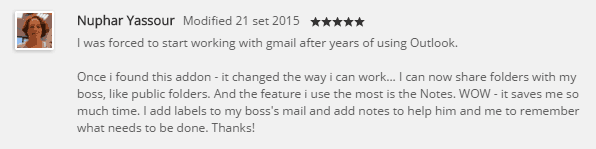
I was forced to start working with gmail after years of using Outlook.
Once i found this addon – it changed the way i can work… I can now share folders with my boss, like public folders. And the feature i use the most is the Notes. WOW – it saves me so much time. I add labels to my boss’s mail and add notes to help him and me to remember what needs to be done. Thanks!
Hiver Pricing
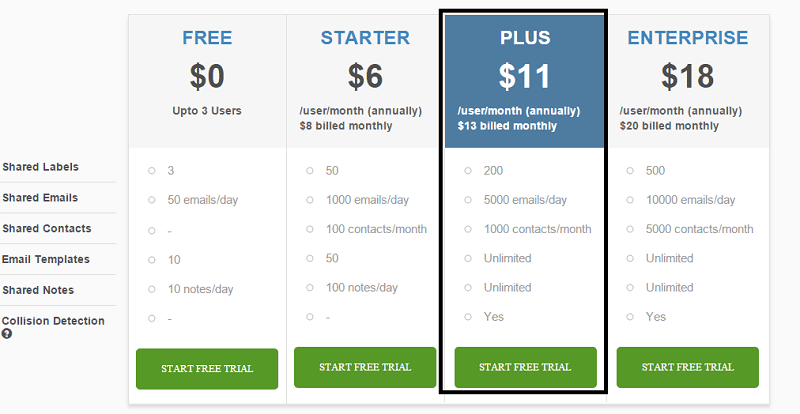
There’s a completely free plan, which grants up to 3 users and 3 shared labels, 50 emails/day, 10 email notes and email templates.
The most popular plan chosen is, however, the “Plus” ($11/mo), which offers:
- 200 shared labels
- 5000 emails/day
- 1000 contacts/month
- Unlimited email templates
- Unlimited email notes
- Collision detection
Every paid plan has a 14-days free trial. With no credit card needed for signing up.
Final Words
Hiver works right from your Gmail, and there is nothing hard to learn.
If you think that a shared inbox could be useful for your team, then Hiver is the perfect app for you.
Are you using Gmail?
Have you ever heard of Hiver?
Are you going to test it?
Please let me know what you think in the comments below, thanks!
Wait! Before You Go, Read:
 Gmail Workspace Labs: The New Features With AI
 Top Google Calendar Integrations: 5 Options to Boost Productivity
 18 Productivity Tools Every Marketer Must Use
 5 Best Blogger Outreach Tools for Building Relationships
 SalesMate: The Smartest Way to Make More Sales
 How Email Verification Can Boost Your Open and Click Rates
 Top 10 Email Marketing Tools For Small Businesses
 Boost Your Traffic and Increase Your Authority with Viral Content Bee
 How to Get More Leads and Convert Them into Sales With SharpSpring Free CRM
 Adding Analytics to Microsoft Products for Improving Productivity
 TextOptimizer: Increase Your Rankings and Boost Your SEO
 FPPT.com: Thousands of Free PowerPoint Templates for Business Presentations
 How Google Chrome 62 Can Affect Your SEO and Online Business
 5 Ways Bitcoin Can Boost Your Digital Business Revenue
 Strategies That Can Boost Business in Just Snap of a Finger
 Heymarket: The Professional Way to Text
 10 Dental SEO Growth Hacks to Boost Dentist Income
 Maximizing Efficiency: 5 Must-have Tools for Solopreneurs
 Top 6 Wix Integrations for Small Business Owners
 How to Use an Online MP4 Converter to Boost Your Social Media Engagement
 5 Budget-Friendly Surprises to Delight Clients and Boost Referrals
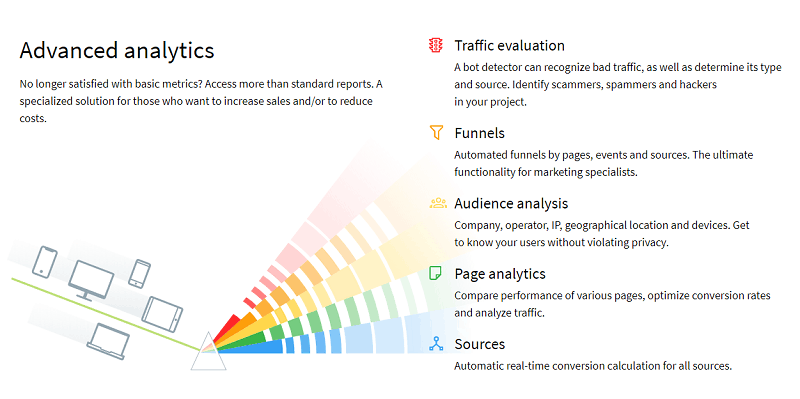 How to Use Finteza to Boost Your Website Conversions Analyzing Quality Traffic
 Micro-SEO Strategies: 6 Foolproof Ways to Boost Rankings
 How to Accept Cryptocurrency Payments and Boost Your Online Business
 Workplace Camaraderie: Why It Matters & How to Boost It


6 responses to “How to Boost Your Business and Productivity Using Gmail With Hiver”
Hey Erik,
This is great! I love the idea of having templates at your fingertips. This is a major plus for my email system. I’m definitely going to give it a try and see what other ways I can use Hiver to help me in my GMail world. Thanks for sharing!
Bren
Lol, I grabbed all this tips. God bless you bro.
.
I love reading posts like this. Thanks.
Great review. Hiver looks very promising l think I should give it a try.
Thanks for Information about Gmail With Hiver. Your Article is impressive and very informative. I am now regular visitor of your website and bookmarked it.
Hi Emmanuel, this post is an eye opener to me. So, gmail can offer all these.
Wow, thanks for revealing all this tips to me sir! Have a nice day…
Worjs great. Allows for users to share messages and add comments without having to forward or reply