Working from home has become the norm for millions of people, offering flexibility many of us could only dream of. Whether you’re a remote worker, freelancer, work-from-home parent, or dedicated blogger, creating a comfortable and productive home office is essential for your success and well-being.
Whether you are making money with reseller hosting or freelancing services, this blog will guide you through 10 practical tips for making your work-from-home experience as comfortable and efficient as possible. From setting up your workspace to managing distractions, these strategies can transform your day-to-day workflow.
Table of Contents
Why Comfort Matters in a Home Office
Your comfort directly impacts your productivity, health, and overall happiness. Without a proper setup, you may struggle with distractions, poor posture, or even burnout. By making intentional choices to create a comfortable working environment, you can avoid these pitfalls and focus on what matters most—your work.
Now, let’s get into the tips.

1. Bring Life to Your Space with Indoor Plants
Adding greenery to your workspace isn’t just about aesthetics—plants are natural stress reducers. They purify the air, boost mood, and even improve focus.
For those new to gardening, starting with indoor vegetables can be a fulfilling and practical choice.
Pro Tips
Here’s a look at some of the best vegetables you can grow indoors:
- Herbs like basil, mint, and parsley thrive on windowsills with good natural light.
- Lettuce and spinach are fast-growing, making them ideal for beginners.
- Cherry tomatoes can grow indoors with proper care and space.
By growing plants, you’re not only improving air quality but also giving your workspace a vibrant, fresh feel that can make long working hours more bearable.
2. Invest in a Comfortable Chair
Hours spent sitting in the wrong chair can wreak havoc on your posture and back. Comfortable, supportive seating isn’t a luxury—it’s a necessity.
What to Look For:
- Lumbar support for your lower back.
- Adjustable height so your feet rest flat on the ground.
- A padded seat for added comfort.
Bonus Tip:
If you’re on a budget, consider lumbar support cushions or seat pads to enhance your current chair.
3. Optimize Your Desk Setup for Ergonomics
Your desk layout plays a significant role in your physical well-being. Poor ergonomics can lead to wrist pain, neck strain, and fatigue.
How to Set It Up:
- Keep your monitor at eye level to avoid neck strain.
- Position your keyboard so your arms are at a 90-degree angle.
- Use a wrist rest to maintain a neutral hand position.
Tools to Help:
- A laptop stand or stack of books for screen height adjustments.
- External keyboards and a mouse for improved posture.
4. Declutter for Focus
A clean, organized workspace allows your mind to focus better and increase productivity. Physical clutter often creates mental clutter, leading to distractions.
Steps to Declutter:
- Remove unnecessary items from your desk daily.
- Use drawer organizers to manage small items.
- Store documents digitally whenever possible.
Pro Tip:
Adopt a “one in, one out” rule—if you bring a new item to your workspace, remove an old one.
5. Good Lighting Is Non-Negotiable
Proper lighting prevents eye strain and keeps you alert. Dim, yellow-toned lighting can make you feel sluggish, while harsh lighting can hurt your eyes. A well-lit workspace should include a mix of natural light and task lighting, and adjusting your window blinds can help control glare and brightness throughout the day.
Lighting Tips:
- Use a mix of natural light and task lighting.
- Invest in LED desk lamps with adjustable brightness.
- Avoid placing light directly behind your monitor to reduce glare.
Example:
Maria, a freelance writer, added a daylight lamp to her desk and noticed an immediate improvement in her energy while writing late at night.
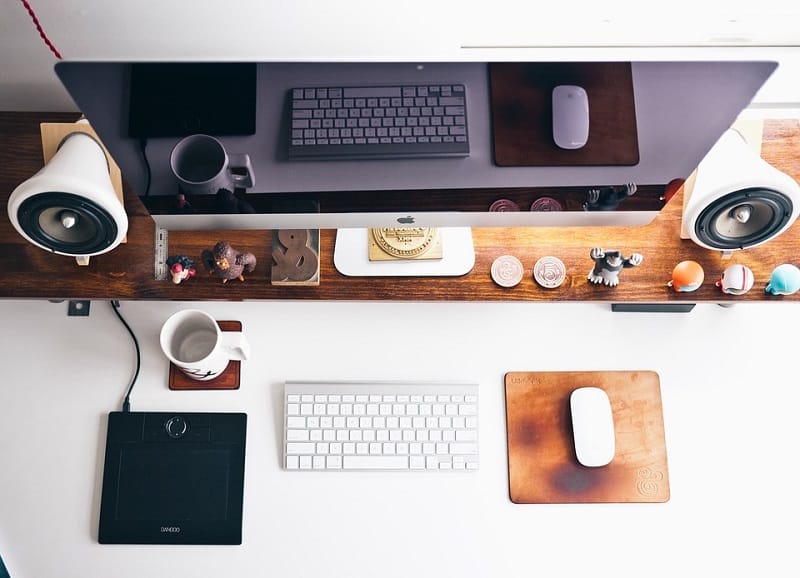
6. Keep Essentials Within Reach
Minimize interruptions by having everything you need within arm’s reach. This may include:
- Pens, notebooks, and sticky notes.
- Chargers for your devices.
- Water bottles or coffee mugs.
Organize these items in drawers or desk organizers to prevent clutter from building up again.
7. Minimize Distractions
Distractions can quickly derail your productivity. While it’s impossible to eliminate them entirely, you can reduce their impact.
Strategies:
- Use noise-canceling headphones to block out background noise.
- Inform family members or housemates of your work hours.
- Schedule breaks to take care of household tasks and avoid multitasking.
Tools to Consider:
- Apps like “Focus@Will” or “Noisli” for concentration-inducing background sounds.
- Task management tools like Trello to stay on track.
8. Stick to a Work Schedule
Working from home can blur the boundaries between personal and professional time. Establishing a clear schedule helps you remain productive while avoiding burnout.
Scheduling Tips:
- Follow a consistent routine, starting and ending your work at the same time daily.
- Use time-blocking to dedicate specific hours to key tasks.
- Add buffer time for unplanned tasks or mental breaks.
Bonus Tip:
Don’t forget to schedule lunch and short stretch breaks to recharge!
9. Stay Comfortable with the Right Temperature
Feeling too hot or too cold can distract you from getting things done. Aim for a balanced, comfortable temperature in your workspace.
Solutions:
- Use fans or portable heaters to adjust the temperature in your area.
- Dress in layers so you can adapt to temperature changes throughout the day.
- Position your desk far from drafty windows or air vents.
Pro Tip:
Sometimes, simple adjustments aren’t enough, and for lasting comfort, especially during extreme weather, you might need to consider professional HVAC services. Searching for reliable “ac replacement companies near me” (or similar terms) to get in contact with professionals can ensure your home office remains perfectly temperate year-round. Also, consider an air purifier if your workspace feels stuffy-it can improve not only comfort but your productivity, too.
10. Personalize Your Space
Your workspace should be a reflection of your personality and style. Adding personal touches not only makes the space enjoyable but can also promote creativity.
Ideas to Personalize:
- Include motivational quotes or family photos.
- Add a plant or two to bring life to your workspace. Studies have shown plants can reduce stress and boost productivity.
- Use colorful desk accessories to brighten your area.
Personalizing your space helps make work feel less like a chore and more like an inspiring part of your day.
Make Your Workspace Work for You
Creating a comfortable and productive home office doesn’t happen overnight, but adopting these 10 simple tips can make a big difference.
Whether it’s upgrading your chair, improving your lighting, or establishing boundaries with those you live with, even small changes can create a more efficient work environment.
Remember, your home office should work for you, not the other way around.
Wait! Before You Go, Read:
 How to Maximize Privacy and Productivity with Smart Cubicle Design
 Common Issues You Might Face as You Decide to Work from Home Full-Time
 First Impressions: Tips for Maintaining a Welcoming Office Lobby
 Improving Your Home Life to Boost Financial Growth
 3 Tips For Balancing Working ON Your Business With Working IN Your Business
 The Advantages of Pursuing College Studies from Home
 Extra Income Without the Office: 6 Reliable Work-at-Home Income Opportunities
 How You Can Make Your Home Based Business Seem Legitimate
 Pest-Free Living: Partnering with Your Apartment Complex to Protect Your Home Investment
 6 Business Management Tips for Thriving Nail Salon Owners: Strategies for Success
 8 Voice Over Jobs From Home for 2025
 Tech Tips To Enhance Your Small Business Operation
 10 Best Digital Marketing Jobs You Can Do From Home
 What Travel Tips Can Make Your First Dubai Business Trip More Successful?
 How to Get More Done with Less: Tools and Team Models for Remote Success
 Unmissable Tips To Get The Most From Your International Business
 How to Create the Perfect Salon Atmosphere that Keeps Clients Coming Back
 10 Financial Tips For Older Than 60 Years
 Best Practices To Cut Down Costs For Your Business
 Why Is My Google Search Not Working? Here’s How to Fix It
 Why a Proper Property Title Search is Essential for Secure Home Buying and Investment Success
 Dropbox Hidden Features: 6 Tips to Unlock Its Power
 What SEO Services Can Law Firms Expect When Working With Rankings.io?
 How to Write an Article in Less Than One Hour – 10 Useful Tips
 How to Write an Article – Writing Tips from a Professional Writer